
- About

Getting to know us
- Industries
Industries
McMaster University: Exadata Cloud@Customer Case Study

Eclipsys has helped McMaster University maximize its investment in the Oracle Exadata Cloud@Customer solution. Read the story here
- Careers







Life at DSP-Eclipsys
- Contact Us
Data Analysis Agent: Technical Overview
Contents
A Data Analysis Agent is an AI-powered autonomous agent engineered to interact directly with enterprise databases. Leveraging Large Language Models (LLMs), it comprehends database schemas, interprets structured data, and generates actionable insights, explanations, and visualizations automatically.
In essence, users can query their databases in natural language and receive answers, charts, and analytic summaries without writing SQL.
Operational Workflow
-
Natural Language Understanding: The agent interprets user queries and identifies the analytical intent.
-
Schema Awareness & SQL Translation: By understanding the underlying database schema, the agent converts questions into optimized, safe SQL queries executed against the target database.
-
Insight Generation: Query results are processed using LLM reasoning to generate human-readable explanations, identifying trends, anomalies, and correlations.
-
Automatic Visualization: When applicable, the agent generates charts, tables, and dashboards automatically to represent query outputs visually.
-
Semantic Question Refinement: The agent performs question expansion and variation analysis to ensure queries are contextually accurate and data-relevant.
-
Enterprise Integration: Designed to connect directly to Oracle Database 19c and above, the agent ensures secure, real-time access to enterprise data.
Key Capabilities:
-
LLM-powered explanations: Translates raw query outputs into meaningful insights.
-
Automatic chart and table generation: No manual visualization setup required.
-
Semantic query expansion: Enhances user questions for comprehensive analysis.
-
Direct database connectivity: Fully compatible with Oracle Database 19c+ environments.
In this blog, we will explore how to use the Data Analysis Agent, create a data source, analyze data from the data source objects, and generate meaningful reports.
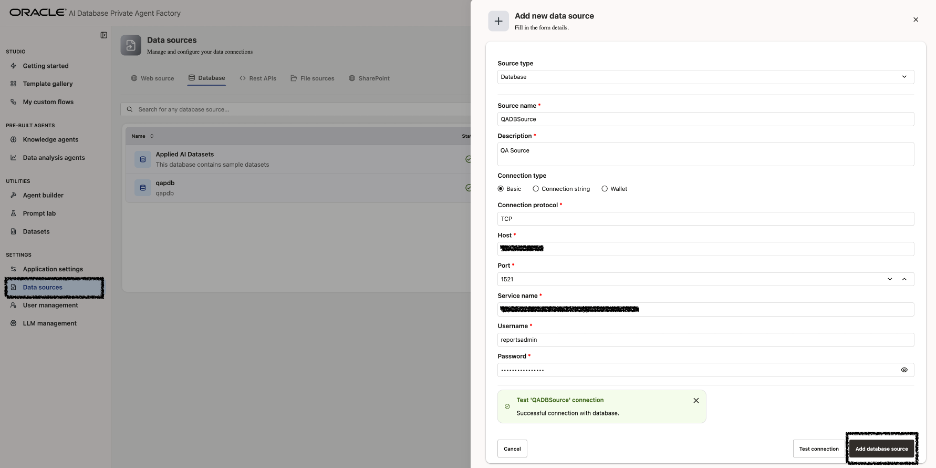
1. Create Datasource
Log in to OCI AI Database Private Agent Factory and create a new data source by selecting ‘Database’ as the source type. Provide the required connection details using the connection string of the target database for which reports will be generated.
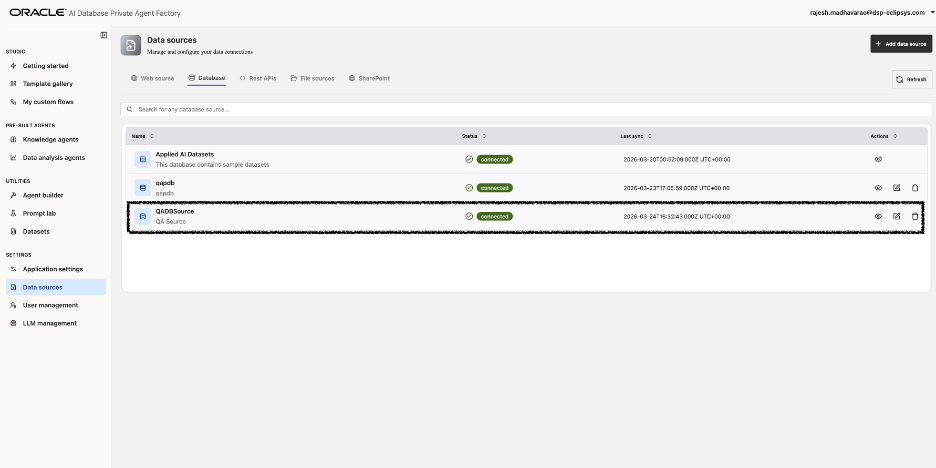
2. Verify status is Connected
Ensure the data source is created successfully, and its status displays as ‘Connected’.
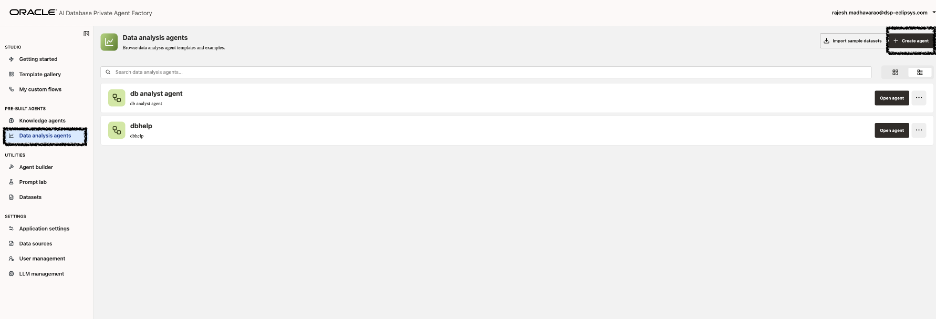
3. Create Data Analysis Agent
After successfully creating the database data source, the next step is to create a Data Analysis Agent.
4. Select tables/views
Go to ‘Data Analysis Agent’, select the previously created data source, and choose the table or view that will be used for data analysis and report generation.
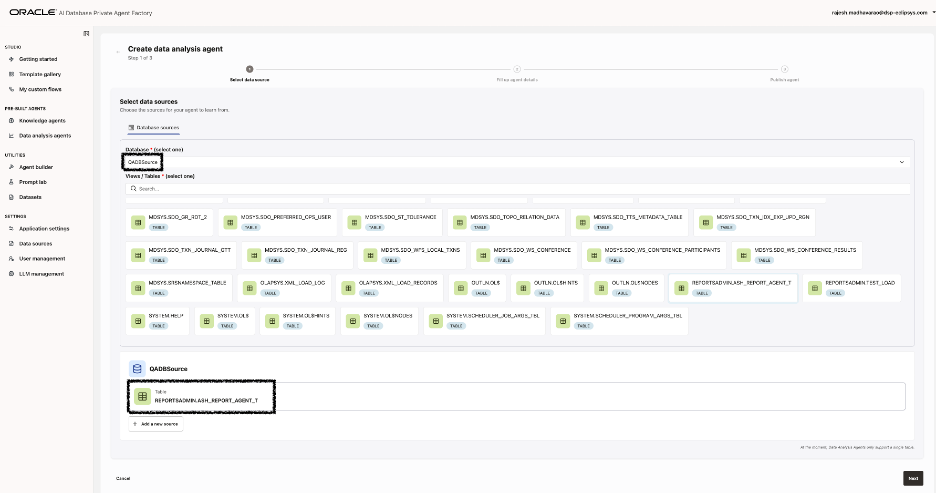
Note: REPORTSADMIN.ASH_REPORT_AGENT_T is created from an extract of DBA_HIST_ACTIVE_SESS_HISTORY.
Here, we are testing the Data Analysis Agent using system data; however, it can be connected to your business data for full-scale analysis and reporting.
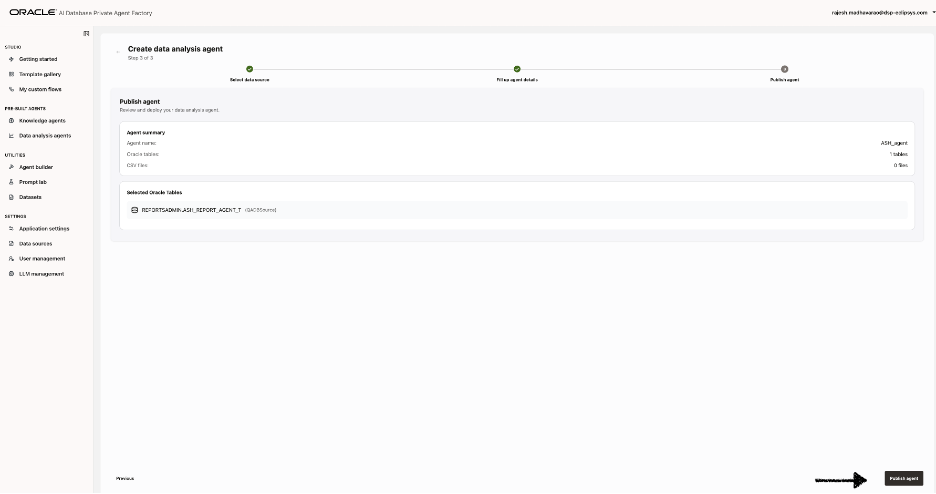
5. Publish Agent
6. Open Agent
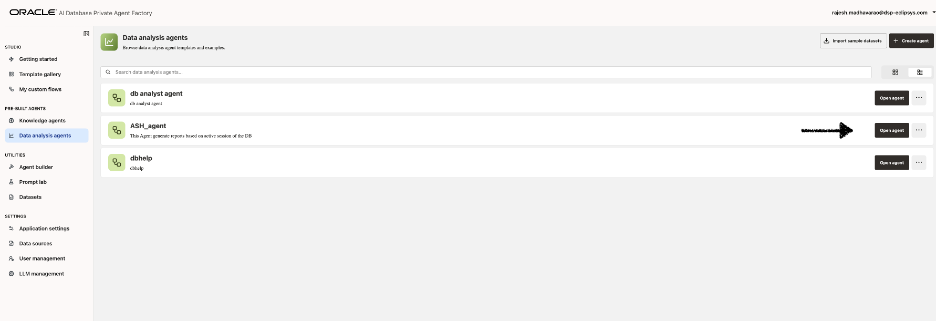
7. Generate reports and insights
Now, let us “execute exploration” for the agent to analyze the data and generate insights.
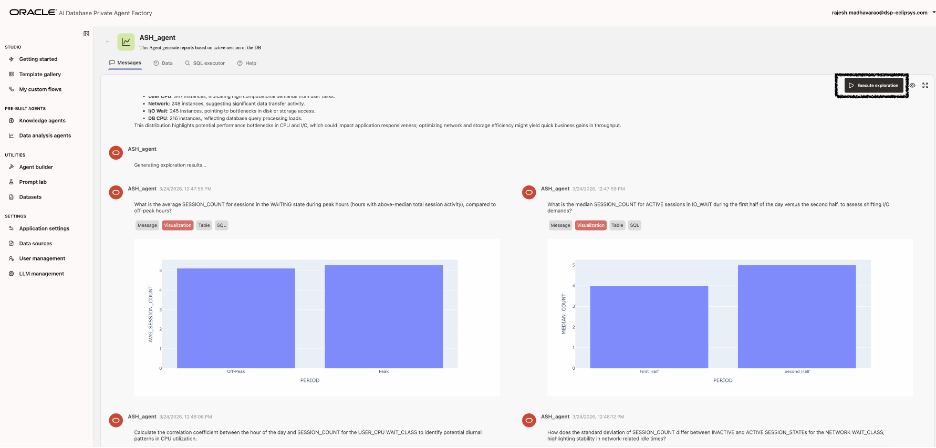
Next, we will request the agent to analyze wait events between 10:00 AM and 11:00 AM.
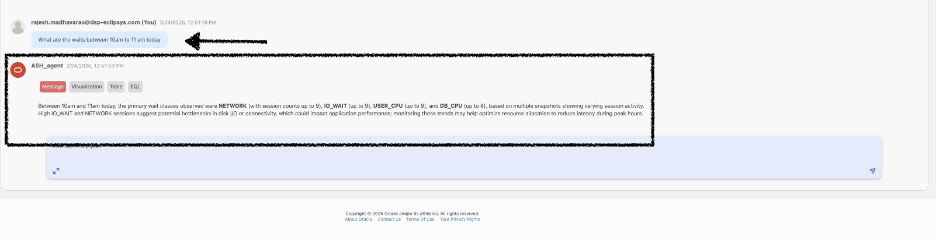
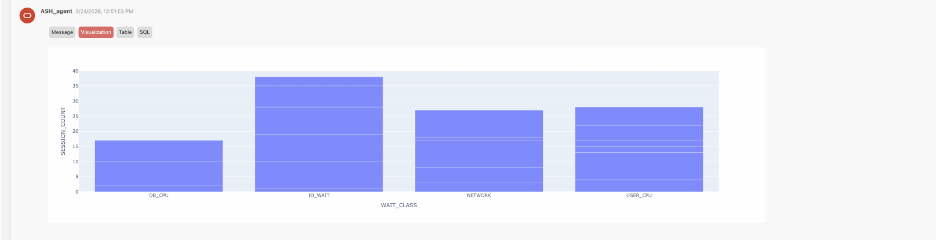
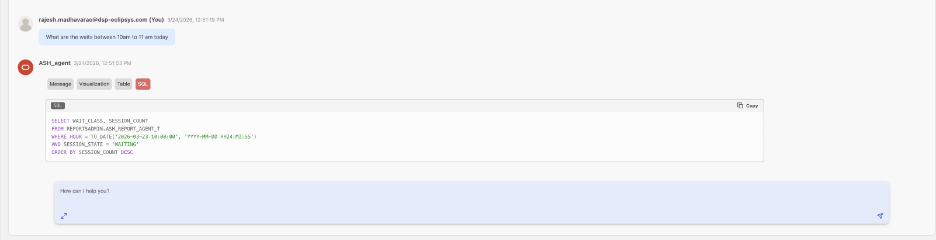
As shown, the agent generated the SQL query, a graphical visualization, and a summary message explaining the findings from the data.
In this blog, we explored how to leverage the Data Analysis Agent in OCI AI Database Private Agent Factory to extract meaningful insights from your database. We demonstrated how to:
-
Create a database data source and verify connectivity.
-
Build a Data Analysis Agent and select tables or views (like ASH_REPORT_AGENT_T) for analysis.
-
Execute exploration tasks to generate SQL queries, visualizations, and summaries automatically.
-
Analyze specific time windows and understand session activity through aggregated data from DBA_HIST_ACTIVE_SESS_HISTORY.
Using the agent, you can quickly transform raw database metrics into actionable insights, eliminating the need to manually write queries or generate reports. Contact us today to find out more.