

- About

Getting to know us
- Industries
Industries
McMaster University: Exadata Cloud@Customer Case Study

Eclipsys has helped McMaster University maximize its investment in the Oracle Exadata Cloud@Customer solution. Read the story here
- Careers







Life at DSP-Eclipsys
- Contact Us
RMAN Point-in-Time Restore with Veeam Plug-in for Oracle RMAN on ExaCC
Contents
Performing an RMAN Point-in-Time Recovery (PITR) on Oracle Exadata Cloud@Customer (ExaCC) using the Veeam Plug-in for Oracle RMAN (sbt_tape) requires careful orchestration, especially when working with an external RMAN Recovery Catalog and managing database incarnations.
Here is a complete, production-ready guide based on real-world steps and common troubleshooting scenarios.
Prerequisites & Environment Setup
Before starting the restore operation, make sure:
-
The target database instance is down or stopped via Clusterware/Server Control (
srvctl stop database -db CALVIN). -
You have environment variable access to connect to both the Target Database and the Recovery Catalog.
-
The Veeam Plug-in shared library file exists at
/opt/veeam/VeeamPluginforOracleRMAN/liboracleRMANPlugin.soacross cluster nodes. -
The database instance is started from the primary ExaCC cluster.
-
The spfile is already in the dbs directory.
Step 1: Connect to the target database and RMAN Catalog
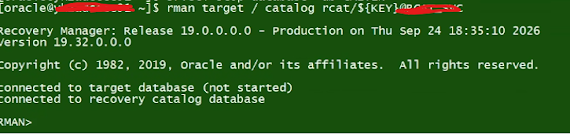
Connect to the target instance and recovery catalog using RMAN:
$ srvctl stop database -db CALVIN
$ rman target / catalog rcat/${KEY}@RCAT_XXX
Step 2: Explicitly Set the DBID
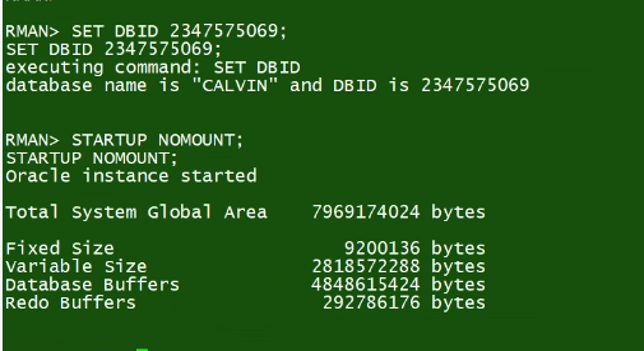
Set the database ID (`DBID`) explicitly, which is required when restoring control files from autobackups while the database is not mounted.
Step 3: Restore Control File from Veeam Autobackup
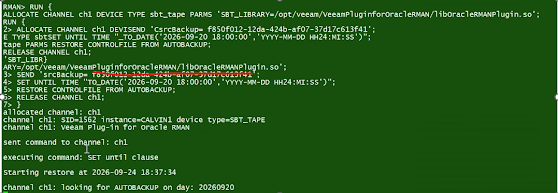
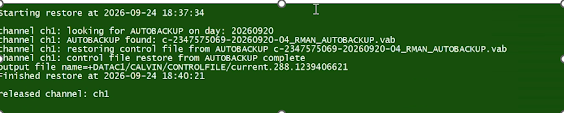
Allocate an 'sbt_tape' channel using the Veeam RMAN Plug-in library and pass the Veeam source backup parameter (`srcBackup`)
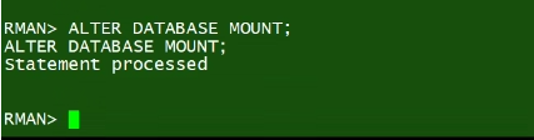
Step 4: Mount the Database
RMAN> ALTER DATABASE MOUNT;
Step 5: Initial Restore & Recover Attempt (And Handling Incarnation Mismatch)
Run the database restore and recovery script, allocating multiple Veeam channels for parallel streams.
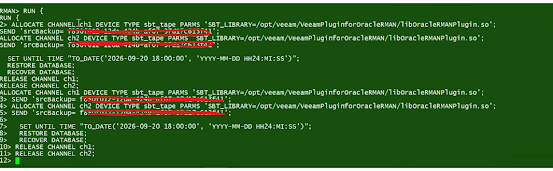
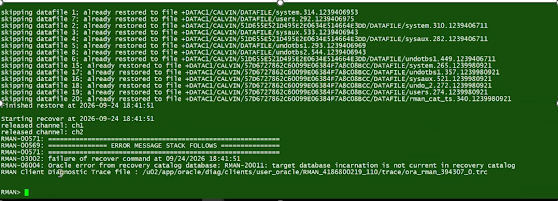
I got the error below due to a database incarnation mismatch.
RMAN-03002: failure of recover command at 09/24/2026 18:41:51
RMAN-06004: Oracle error from recovery catalog database:
RMAN-20011: target database incarnation is not current in recovery catalog
Step 6: Query all recorded database incarnations from the catalog
RMAN> LIST INCARNATION;
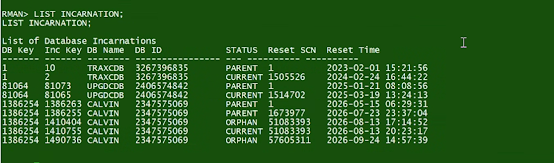
Step 7: Set the database back to the active parent/current incarnation that matches the target point-in-time backup
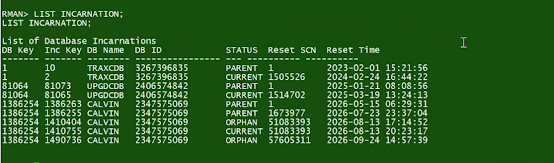
RMAN> RESET DATABASE TO INCARNATION 1410755;

Step 8: Re-Execute the Complete Restore & Recovery
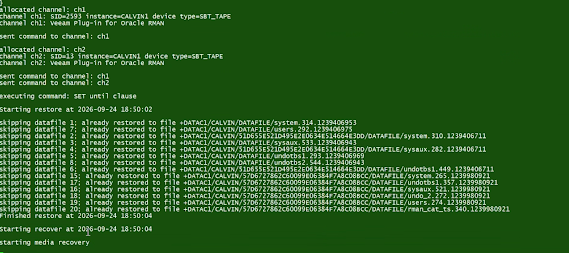
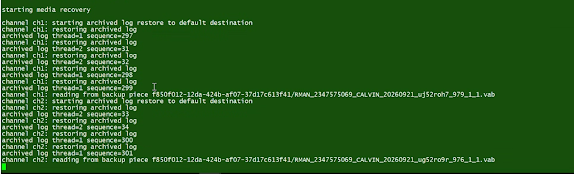
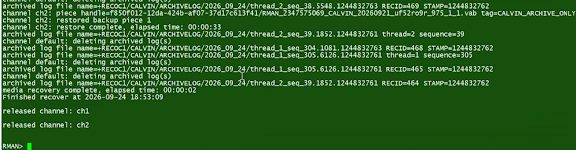
Re-run the restore and recovery block after setting the correct incarnation.
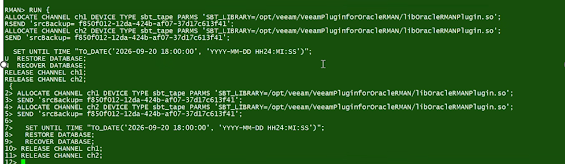
The restore and recovery executes successfully without any error.
Check out our Oracle Exadata Services here, or contact us today for more information and one of our experts will be in touch.