

- About

Getting to know us
- Industries
Industries
McMaster University: Exadata Cloud@Customer Case Study

Eclipsys has helped McMaster University maximize its investment in the Oracle Exadata Cloud@Customer solution. Read the story here
- Careers







Life at DSP-Eclipsys
- Contact Us
Fixing OCI Base DB GI Precheck Error
Contents
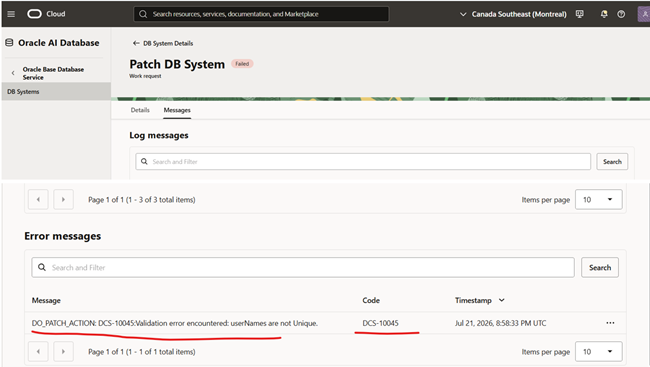
If you are upgrading an Oracle Cloud Infrastructure (OCI) Base Database Service operating system from Oracle Linux 7 to Oracle Linux 8, you might encounter a roadblock during Grid Infrastructure (GI) prechecks: 'DCS-10045: Validation error encountered: userNames are not unique' (or related DCS agent failures).
While standard DCS troubleshooting guides suggest restarting system services (‘systemctl restart initdcsagent’), this error often persists. In this blog, I’ll dive into why this happens after an OS upgrade and how to resolve it by cleaning up duplicate rows in the local MySQL metastore.
The error below is seen when the GI precheck process is executed.
Step-by-step procedure to resolve the DCS-10045 error
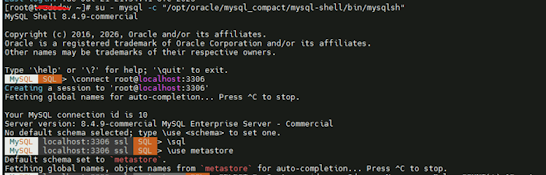
1. Connect to the MySQL instance on the DBCS
Switch to the root user, connect to local MySQL on port 3306 and switch to SQL mode.
2. Identify Duplicate Entries
Run a query to check for duplicate user records across SysInstance_id, userId, userName, and userRole.
If this returns rows with cnt > 1, duplicate records are causing the conflict.

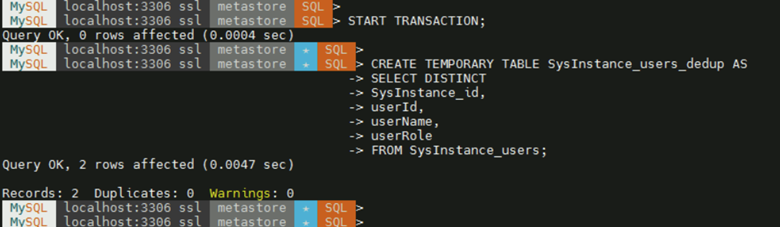
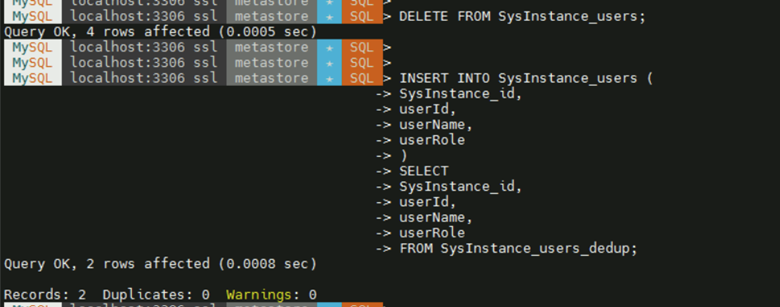
3. Deduplicate using a Temporary Table
To remove duplicates safely within a single transaction:
4. Verify that the user has been created
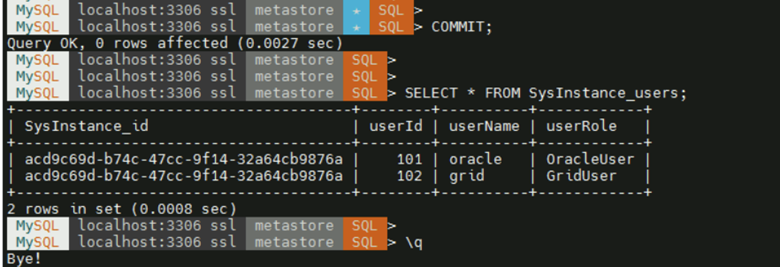
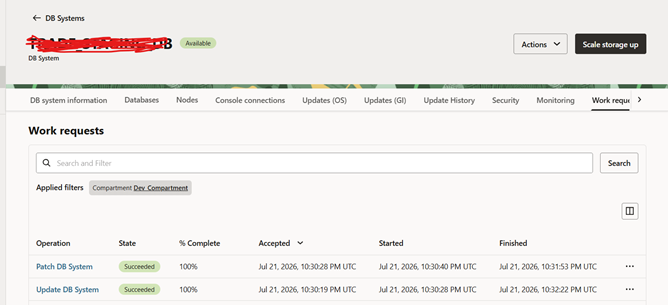
5. Run the GI patch precheck again from the OCI console.
The precheck completes without any DCS-10045 error.
For more information, check out our Oracle Cloud Infrastructure Services, or contact us today, and one of our experts will be in touch.